MIDI generation. Every note stays yours.
Let AI compose basslines, chord progressions, and melodies. Edit every note to make it uniquely yours.
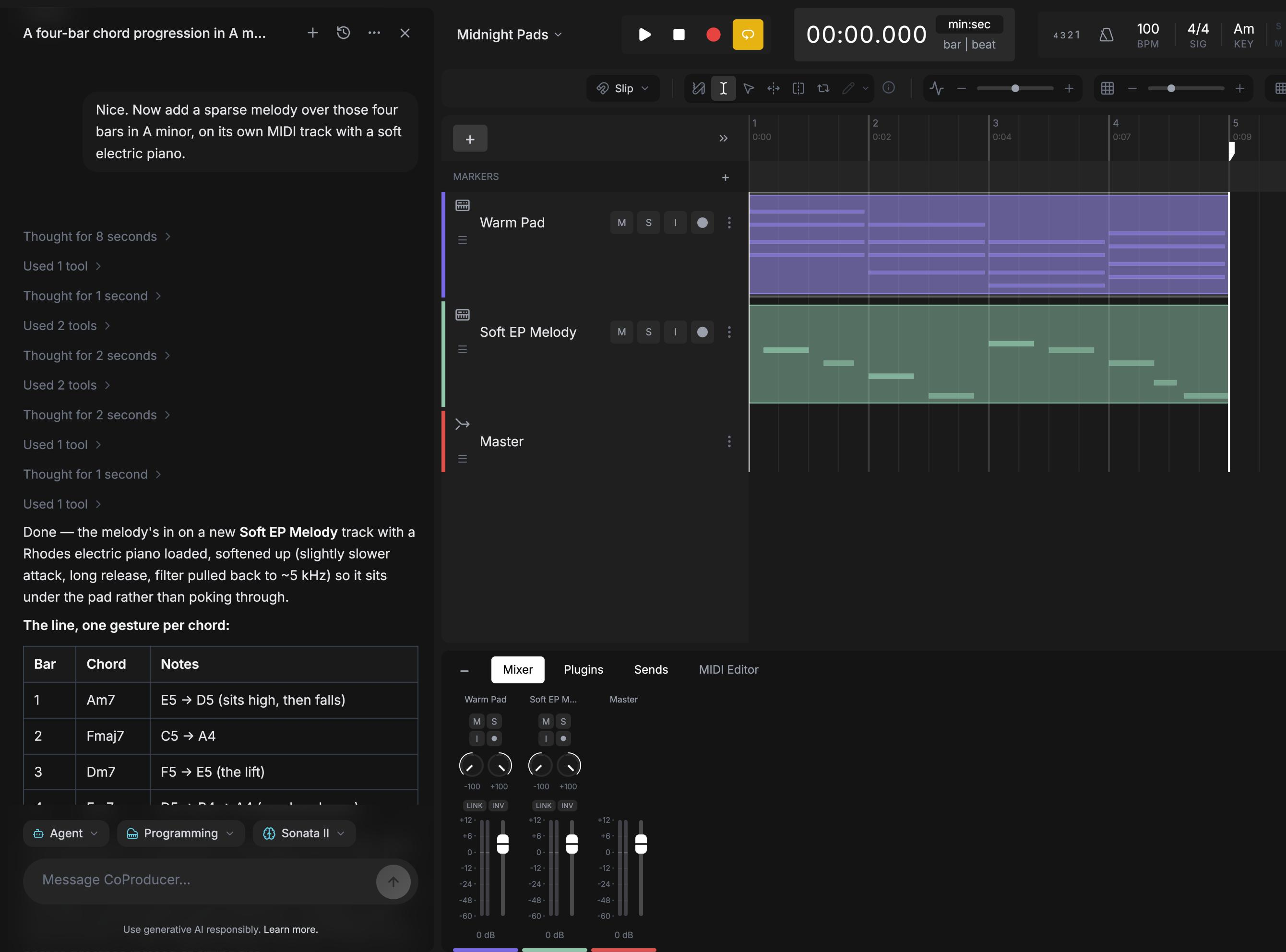
From a sentence to notes you can edit.
MIDI generation lives in the CoProducer chat, right next to your session.
Describe the part
Ask CoProducer in Programming mode, or say "MIDI" in your prompt. Give the part a job: its role, key, tempo and feel get you further than a genre name alone.
Get real notes
CoProducer writes the part in the key and tempo you asked for and puts it on a MIDI track in your session, playing a built-in instrument.
Make it yours
Open the part in the note editor and change anything. Every note is editable, so the idea is a starting point, not a finished take.
Ask for a part.
Not a whole song.
Say what the part does in the track. A role, a key, a tempo and a feel give CoProducer something to aim at. Here are a few to adapt:
- “A four-bar chord progression in A minor at 100 BPM. Slow and moody, mostly sustained chords.”
- “A sparse melody over those chords, same key.”
- “A synthwave bassline that locks to the kick.”
- “A jazz chord progression with extended voicings.”
Edit every note.
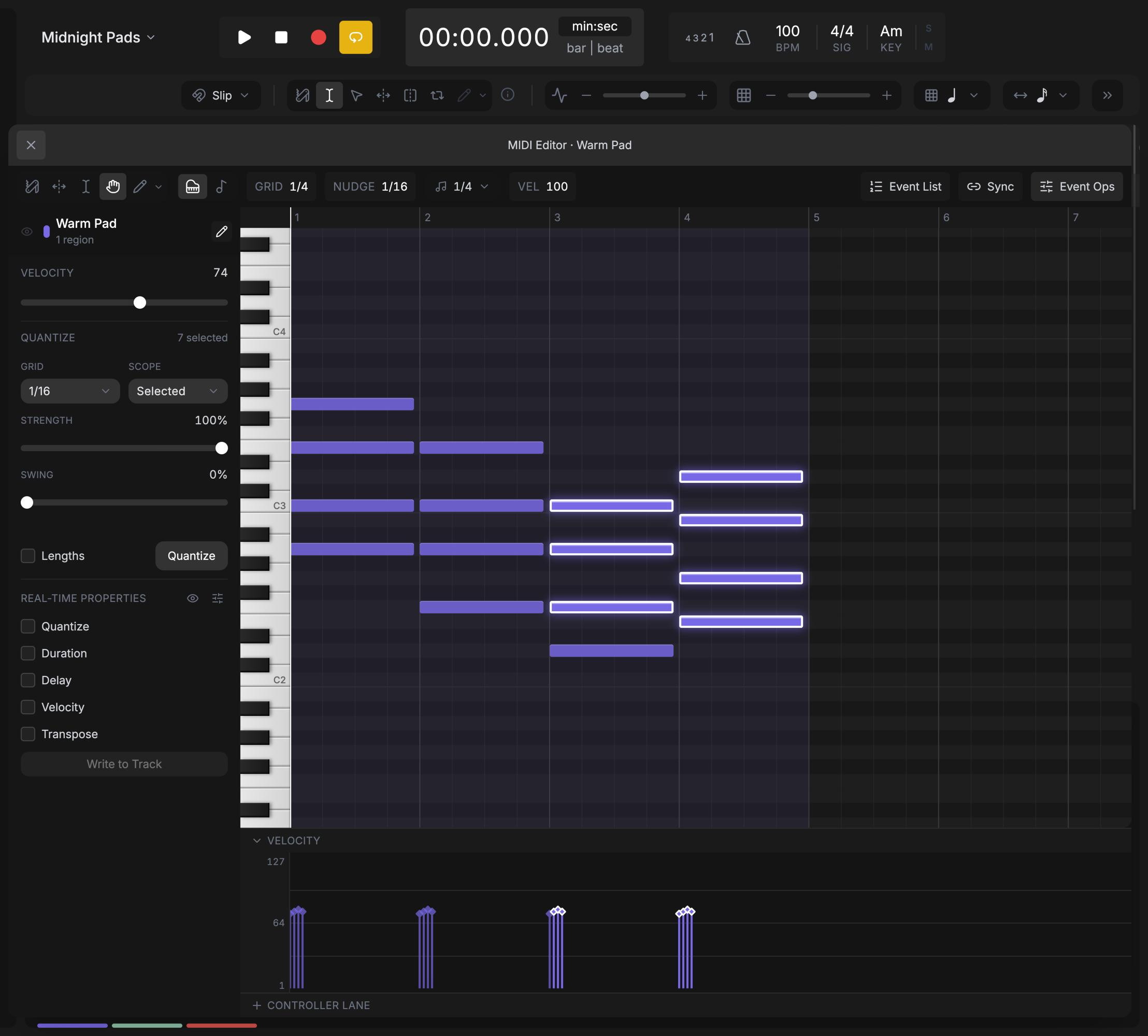
Generated parts open in the same note editor you use for your own. Nothing is baked in.
Move and resize
Drag notes to new pitches and beats, or stretch and shorten them.
Delete and add
Remove the notes you don't want and draw in your own.
Velocity
Change how hard selected notes hit to shape the dynamics.
Quantize
Snap loose timing to the grid, or leave it human.
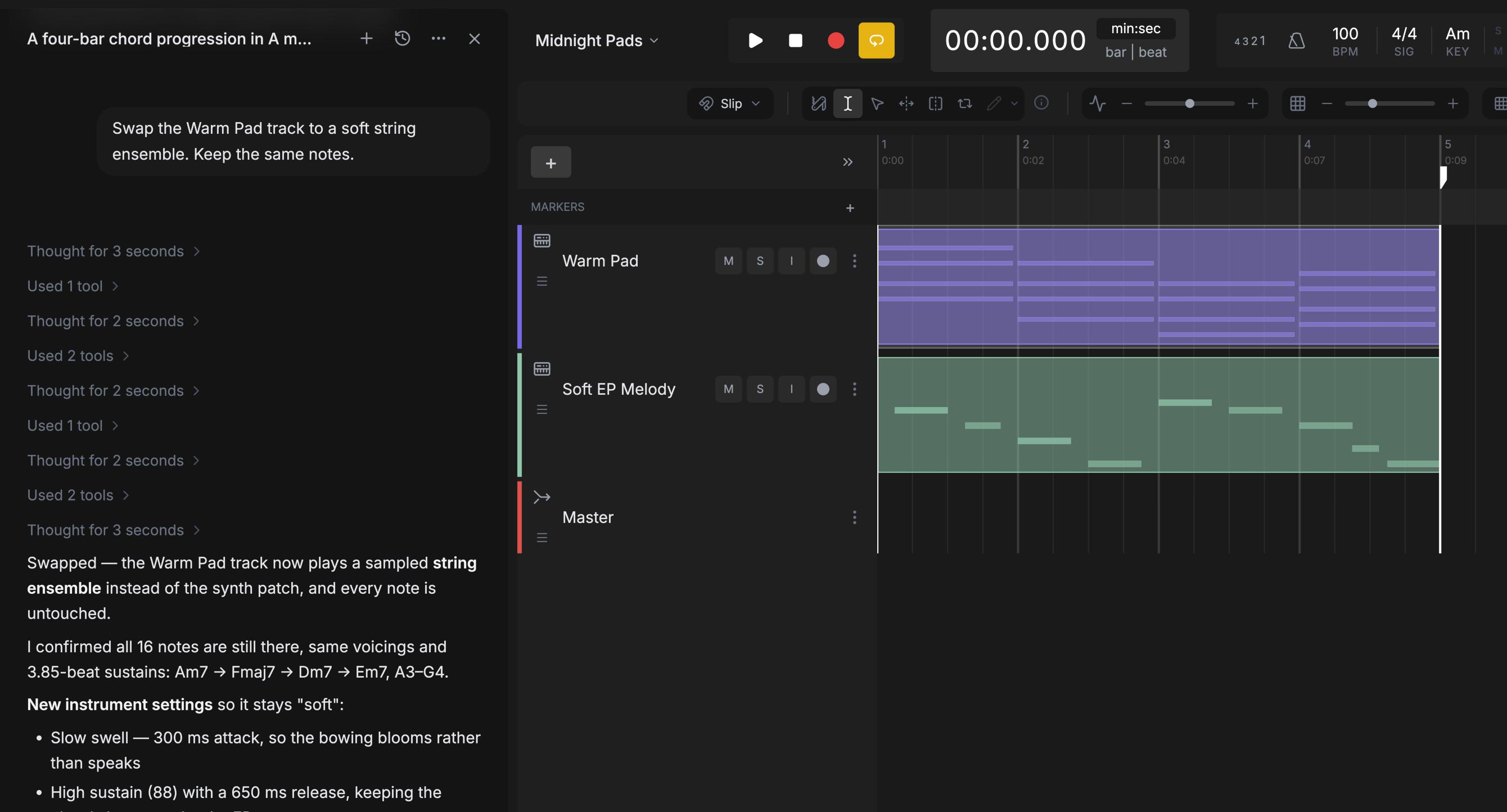
Swap the sound.
Keep the notes.
Change the instrument on a generated part and the clip keeps every note. No regenerating. Synthesizers, samplers, and drum machines are built right in, with no plugins to install. In Greysound Pro you can also play parts through your own VST3 and Audio Unit instruments.
Bringing parts in or taking them out? MIDI files import and export, so a part can start in Greysound and finish anywhere.
Write your next part
Open Greysound in your browser, describe a part, and start editing. No download required.
Start Creating for FreeThe DAW is free. AI generation uses credits. See pricing · Meet CoProducer