Greysound Pro Beta
A desktop studio with a producer built in.
Record, edit, and mix with native audio and the plugins you already own. When you want a hand, ask CoProducer.
CoProducer
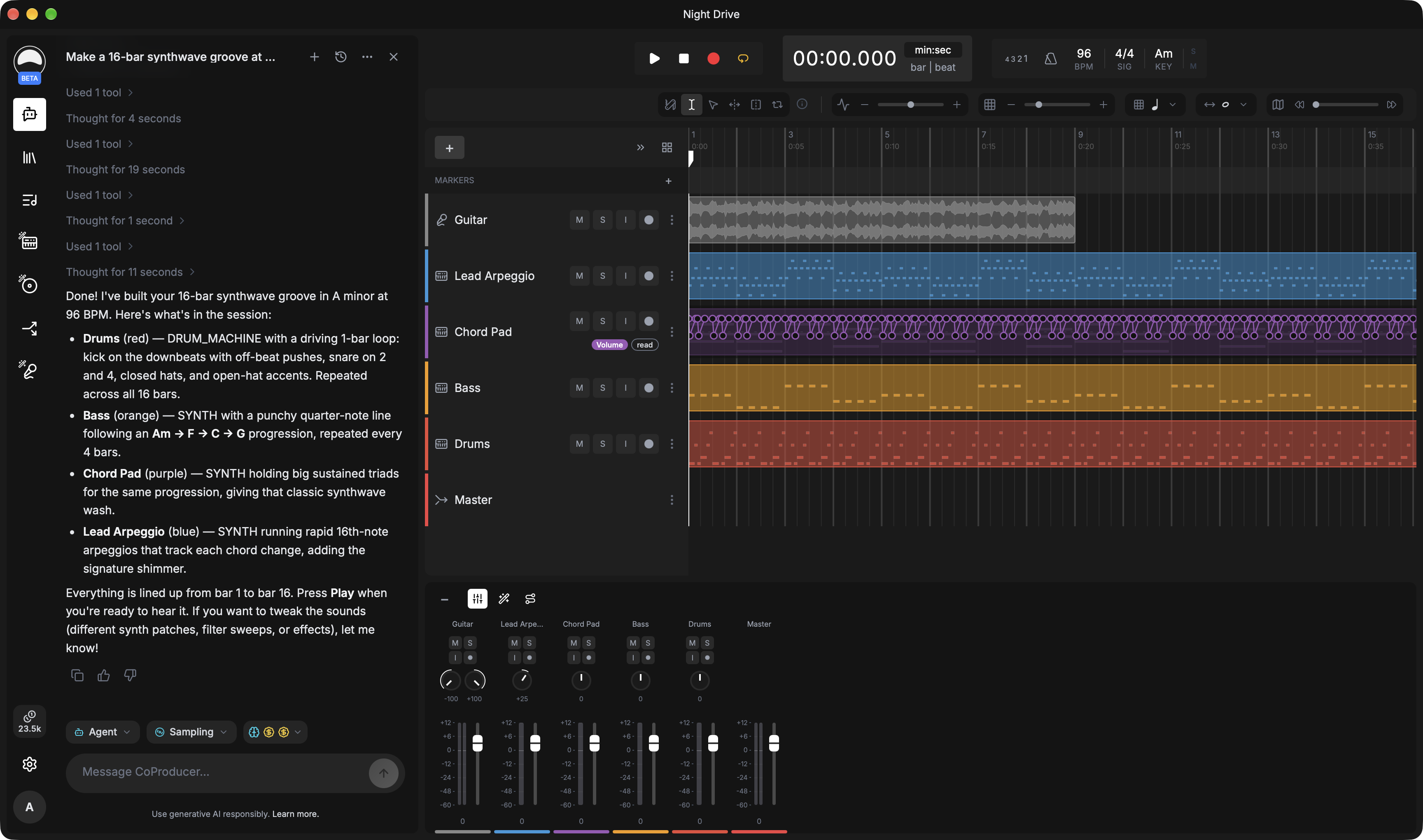
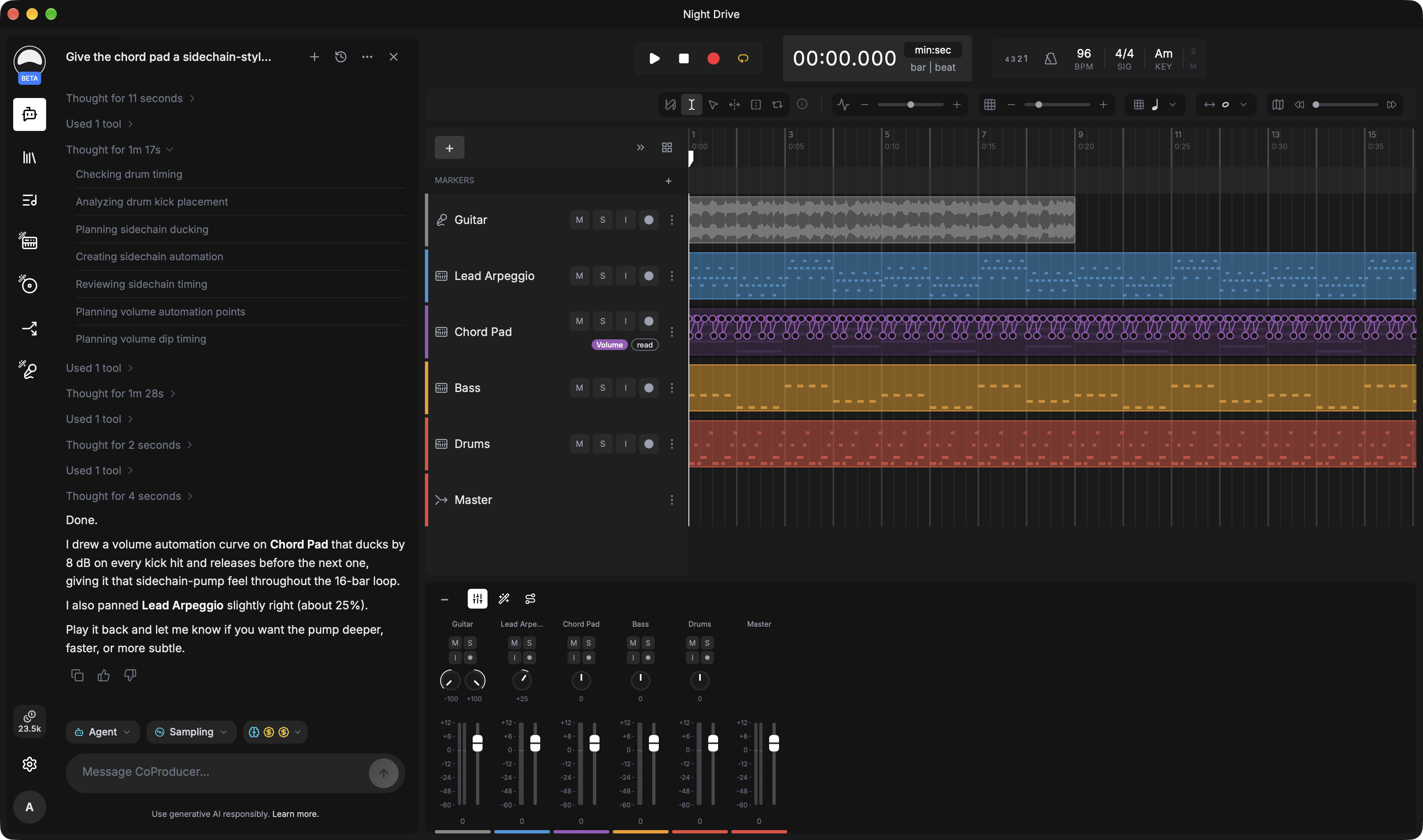
Say what you want.
It happens in your session.
CoProducer reads your session and makes the edits itself: new tracks, MIDI parts, routing, effect settings. Switch to Ask mode and it only explains. Supported edits undo like any other.
Native audio
Low latency.
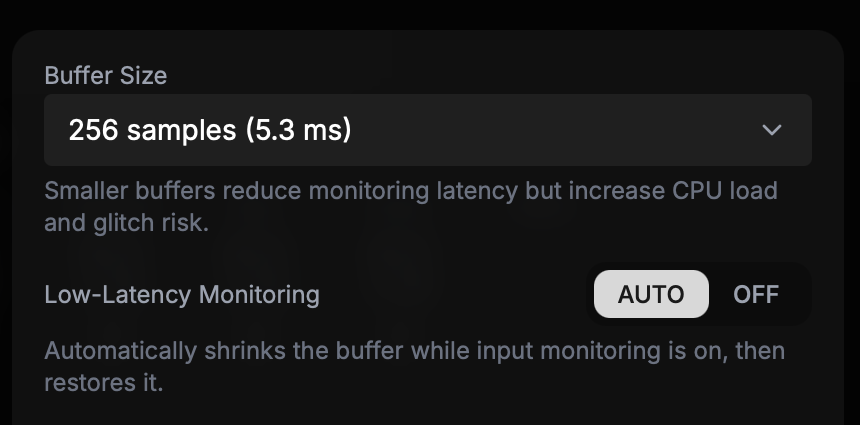
Your interface, your buffer.
Built on Tracktion Engine. Choose your device and buffer size, with ASIO on Windows. Low-Latency Monitoring shrinks the buffer while you track and restores it when you stop.
Plugins
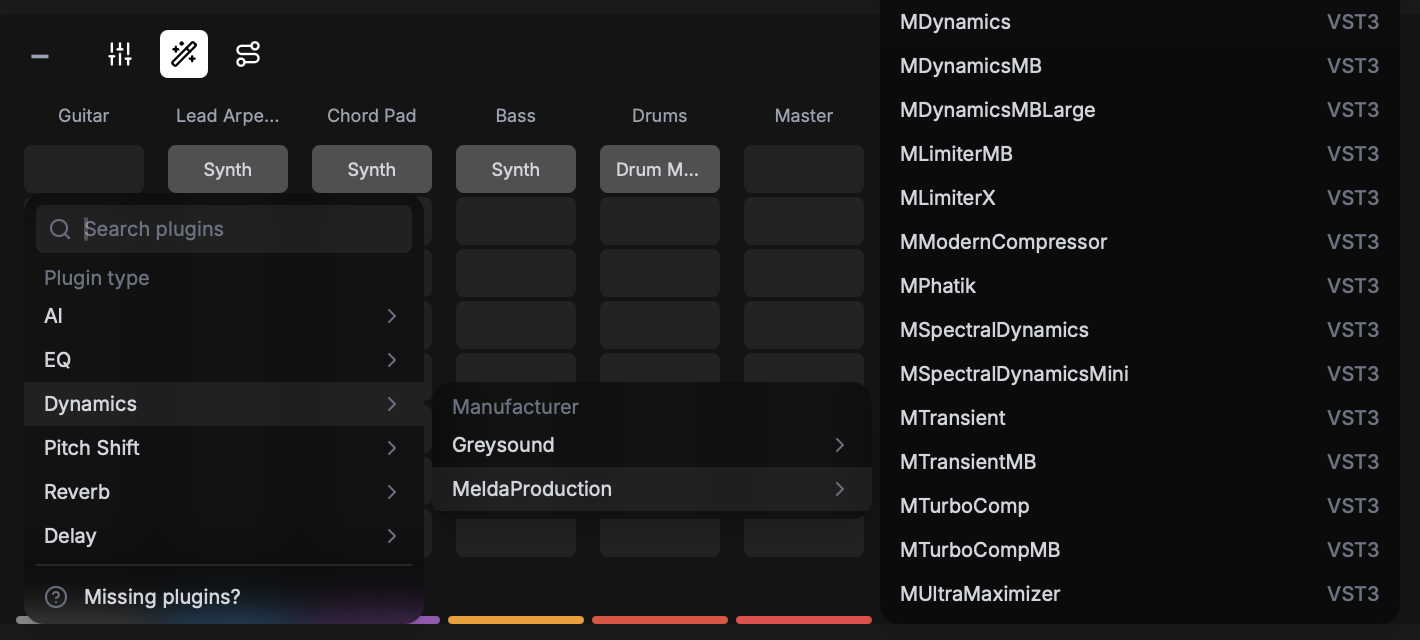
Bring your plugins.
VST3 on every platform, Audio Units on macOS, sorted by category and manufacturer. Alongside them: over twenty built-in effects, a synth, a sampler, and drums.
AI tools
Start from sound.
Split a mix into stems. Regenerate two bars of a region and keep the rest. Describe an instrument and play it, or describe an effect chain and tweak every module.
Split a mixed track into vocals, drums, bass, guitar, piano, and other parts, then add the stems you need to your session.
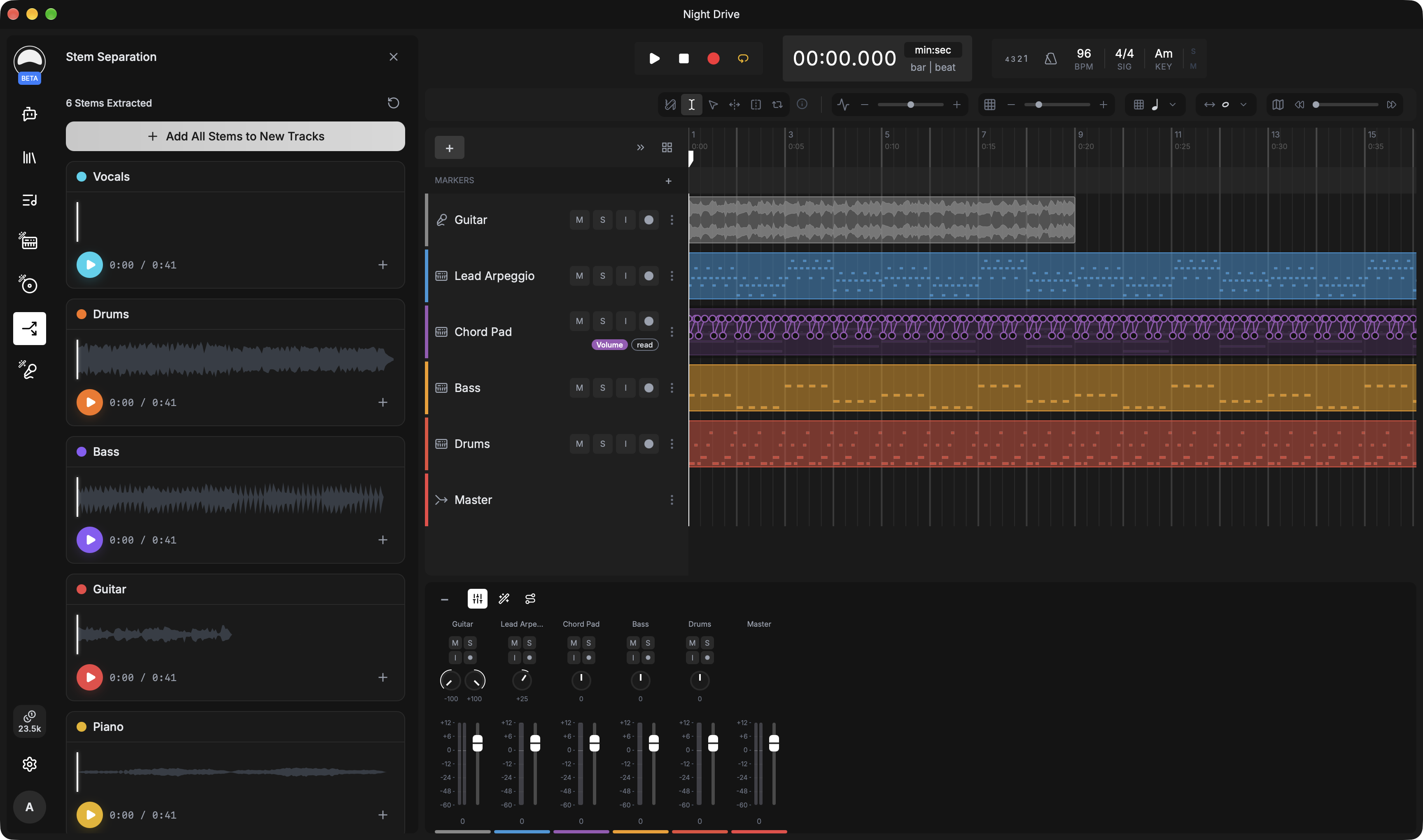
Select a few bars of an audio region and regenerate just that part, or create, transform, and analyze audio right from the timeline.
Describe an instrument and get a playable sampled version for the Instrument Sampler.
Describe the processing you want on a track and FX Designer builds an effect chain you can edit module by module.
Start from a reference track or look up a song, then generate your own arrangement at the tempo and key you choose.
Record or upload 30 to 60 seconds of your voice, then generate clean, studio-quality vocals in it.
AI features need an internet connection and use credits.
Local-first
Your sessions live on your disk.
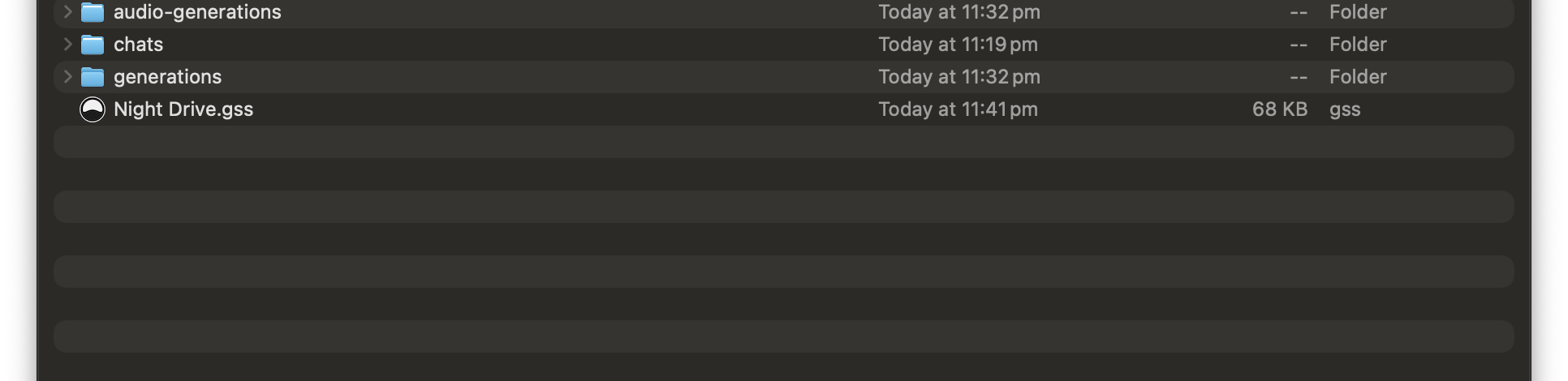
Each session is a folder of audio files and a session file, in Documents or wherever you choose. Sign in once; recording, editing, and mixing then work offline.
System requirements
macOS
- System
- macOS 12 Monterey or later
- Processor
- Apple silicon or Intel (universal app)
- Plugins
- VST3 and Audio Units
- Package
- Disk image (.dmg)
Windows
- System
- Windows 10 or later, 64-bit
- Processor
- x64
- Plugins
- VST3
- Audio
- ASIO and Windows audio drivers
- Package
- Installer (.exe), no admin rights needed
Linux
- System
- Ubuntu 24.04, Linux Mint 22, Debian 13, or newer (glibc 2.38+)
- Processor
- x86_64 or ARM64
- Plugins
- VST3
- Runtime
- WebKitGTK 4.1 from your distribution. Greysound Pro offers to install it if missing.
- Package
- AppImage
All platforms. A Greysound account. An internet connection to sign in and for CoProducer and AI features. An audio interface is optional.
Download Greysound Pro.
Greysound Pro runs on macOS, Windows, and Linux computers.
- macOS Universal: Apple silicon and Intel
- Windows 64-bit installer
- Linux AppImage, x86_64
- Linux AppImage, ARM64
Greysound Pro is beta software. Keep backups of sessions you care about. Requires a Greysound account.
Prefer the browser? Greysound runs on the web too.