Greysound for music programs.
A DAW where students can ask how something is done and watch it happen in their own session. It supports your teaching. It doesn't replace it.
For high schools, colleges, conservatories and adult programs. Greysound accounts are for people 13 and over.
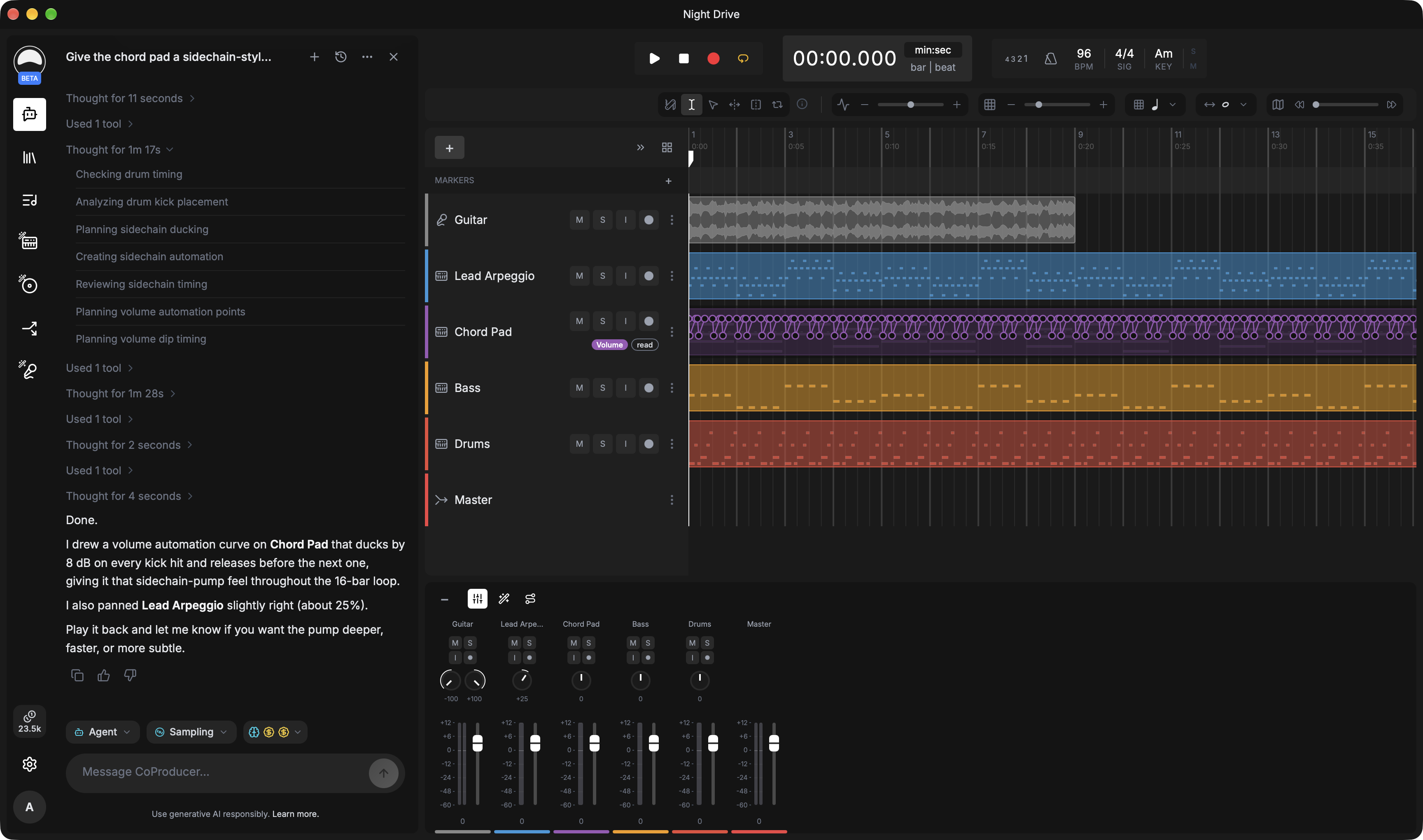
Students still do the work. Greysound shows them how.
CoProducer is built to be inspected. Nothing it does is hidden, and nothing it makes is final.
Ask mode only explains
Switch CoProducer to Ask mode and it answers questions about the session without changing anything. Students make the edit themselves.
Every step is listed
In Agent mode, CoProducer lists what it checked and what it changed, and the edits land in the session where students can open and study them.
Nothing is locked
A generated MIDI part is editable note by note. A generated effect chain is editable module by module. Supported edits undo like any other.
In the classroom.
And after it.
Use it for demonstrations in class, then let students keep going on their own. Their sessions are saved to their account, so work started in the lab opens at home.
- Ear trainingSplit a reference track into vocals, drums, bass and other stems, then solo each part to hear how the arrangement is built.
- Mixing fundamentalsAsk why a mix sounds the way it does, then compare the settings CoProducer suggests with your own.
- Arrangement and theoryAsk for a chord progression or a bassline in a style, then edit the notes to see what changes the feel.
- Sound designDescribe an effect in words, then open the chain it builds and trace what each module contributes.
Fits the lab you have.
Start in the browser with nothing to install. Add the desktop DAW where you need studio hardware and plugins.
- Web DAW
- Runs in any modern browser on lab or personal computers. Nothing to install, and sessions are saved to each student's account.
- Greysound Pro
- The desktop DAW for macOS, Windows and Linux, with low-latency monitoring, your VST3 and Audio Unit plugins, and sessions stored on the computer.
- Cost
- Recording, editing, arranging and mixing are free. Only AI features use credits. Education discounts available.
- Accounts
- Each student signs in with their own Greysound account and must be 13 or over.
Bring Greysound to your program.
Tell us about your course and your lab. Anshu, Greysound's founder, will walk you through it and answer your questions personally.
Or email hello@greysound.ai